Widget Customization
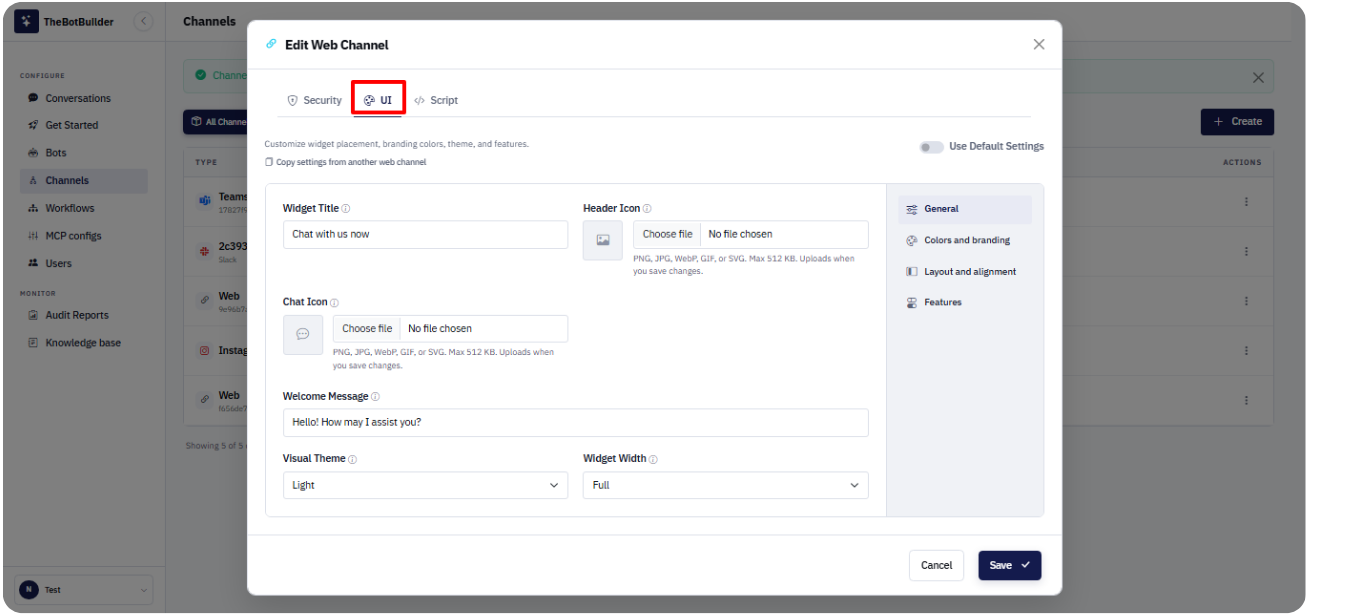
Open the UI tab in the Web channel modal to customize appearance and behavior.
Common options include:
- Use Default Settings — apply product defaults while keeping custom values stored for later
- Widget Title
- Header Icon and Chat Icon
- Welcome Message
- Visual Theme
- Widget Width and Standard Height
- Colors (button, agent button, restart, header, bubbles, avatars)
- Screen Placement
- Launcher Spacing (px) and Launcher Alignment
- Agent Option Button Label
- Auto Launch
- Live Agent Option
After changing UI settings, click Save or Save & Connect.