Connecting a Website Channel
- Go to Configure → Channels.
- Click Create, choose Channel Type Web, select a Bot, and click Create Channel.
- On the new row, open Actions → Connect (or Edit if already connected).
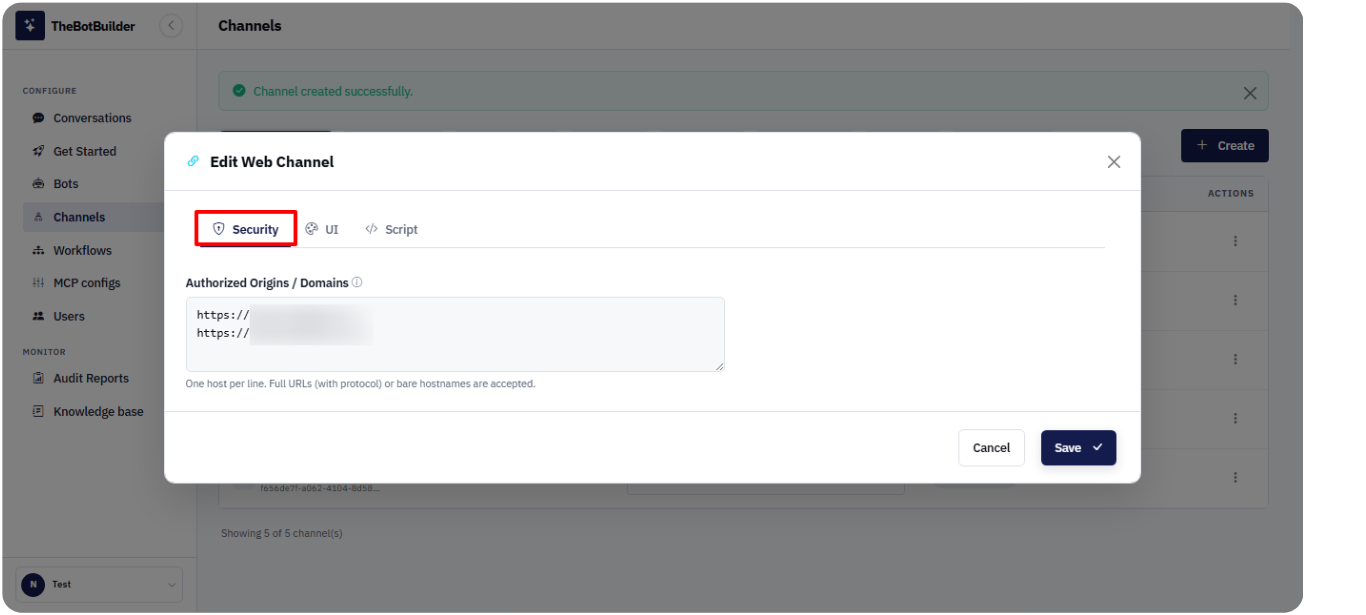
- The Connect Web Channel / Edit Web Channel modal opens with three tabs: Security, UI, and Script.
Security tab
- Enter Authorized Origins / Domains (at least one host URL or domain is required). List the sites where the widget is allowed to run.
- Optionally use Cloudflare Protection: Connect Account or Reconnect Account. Status badges show Not connected, Connected, or Expired.
When finished with Security and UI settings, click Save & Connect (first connect) or Save (edit).