

Connecting Microsoft Teams
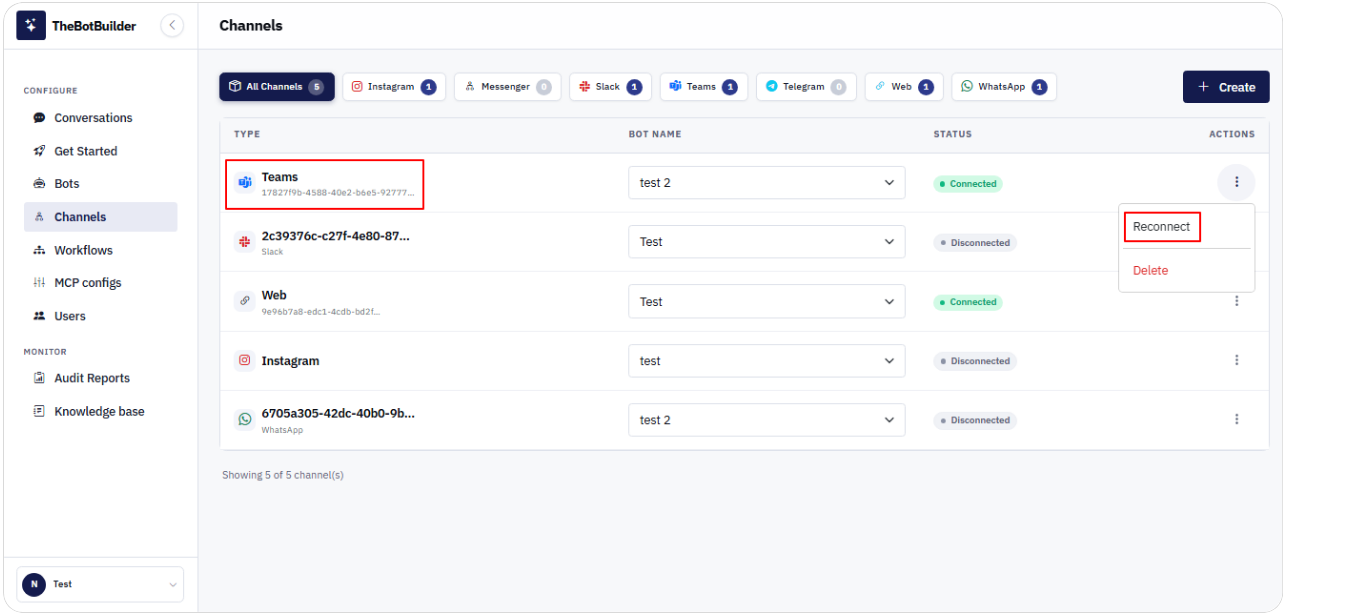
- Go to Configure → Channels.
- Click Create, select Teams / Microsoft Teams, choose a Bot, and click Create Channel.
- Open Actions → Connect (or Reconnect).
- In the Connect Microsoft Teams modal, enter Tenant ID.
- Click Continue.
- Confirm success: Teams channel connected successfully. and Status Connected.
Tip: Find Tenant ID in the Azure portal under Microsoft Entra ID (Azure Active Directory) → Overview → Tenant ID.