

Option 3: Train Using Documents
If your business information is stored in documents rather than on a website, use the File Upload option.
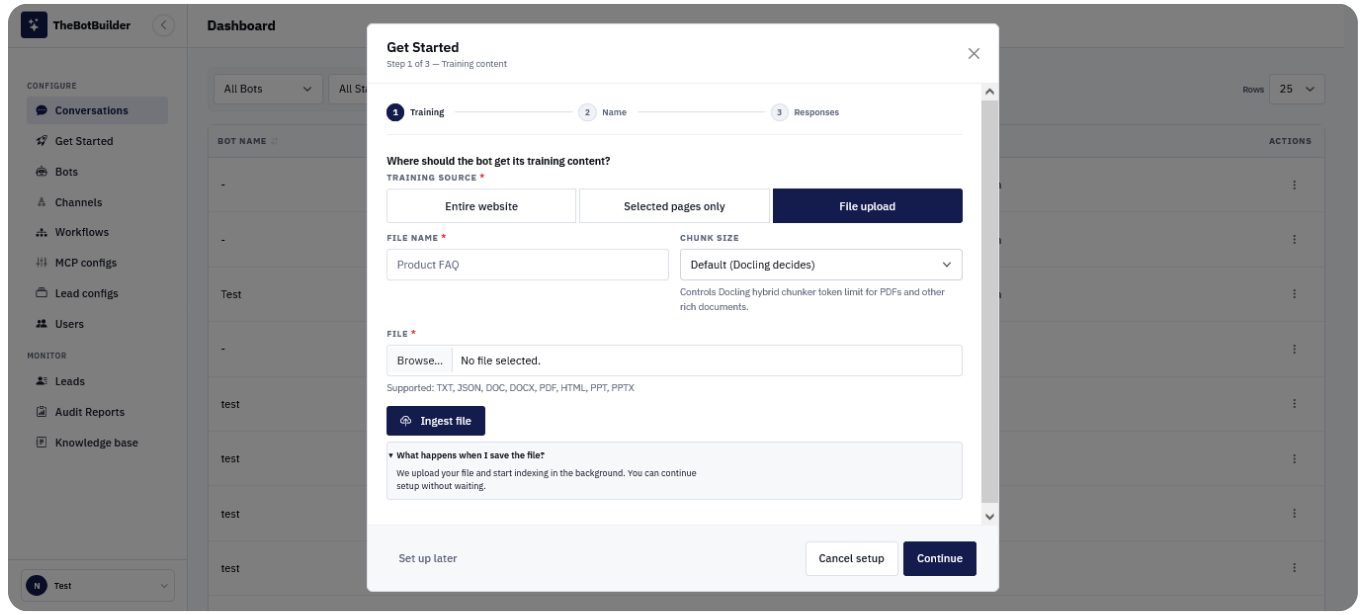
Supported File Types:
TheBotBuilder supports a wide range of document formats, including:
- DOC
- DOCX
- TXT
- HTML
- JSON
- PPT
- PPTX
Steps:
- Select File Upload.
- Enter a descriptive File Name.
- Choose the appropriate Chunk Size.
- Click Browse and select your file.
- Click Ingest File.
- Wait for the upload to complete.
- Click Continue.
The uploaded content will be processed and added to your Knowledge Base.