

Uploading a Knowledge File
- Open Knowledge base.
- Click Upload file.
- On File Details, enter File Name (required).
- Optionally set Category and Tags (press Enter to add each tag).
- Choose Chunk size: Default (Docling decides) or Custom token limit (then Max tokens).
- Choose a File (required).
- Optionally add userMetadata (JSON object) under Advanced.
- Click Ingest.
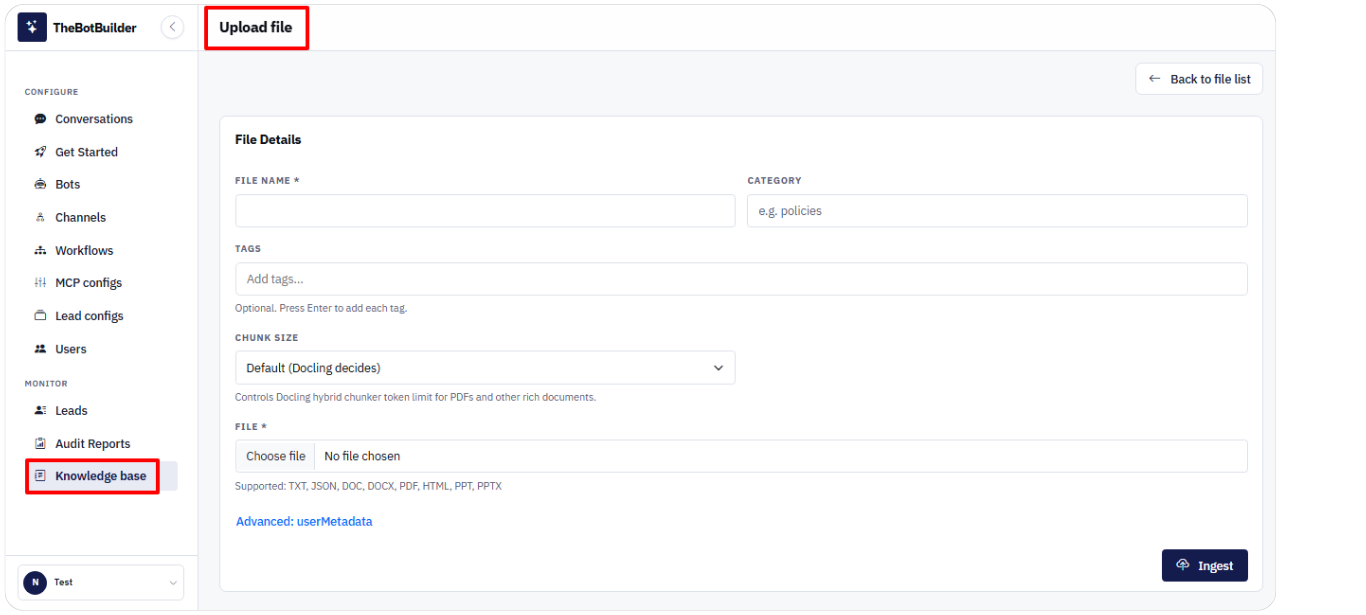
Use Back to file list to return without ingesting.