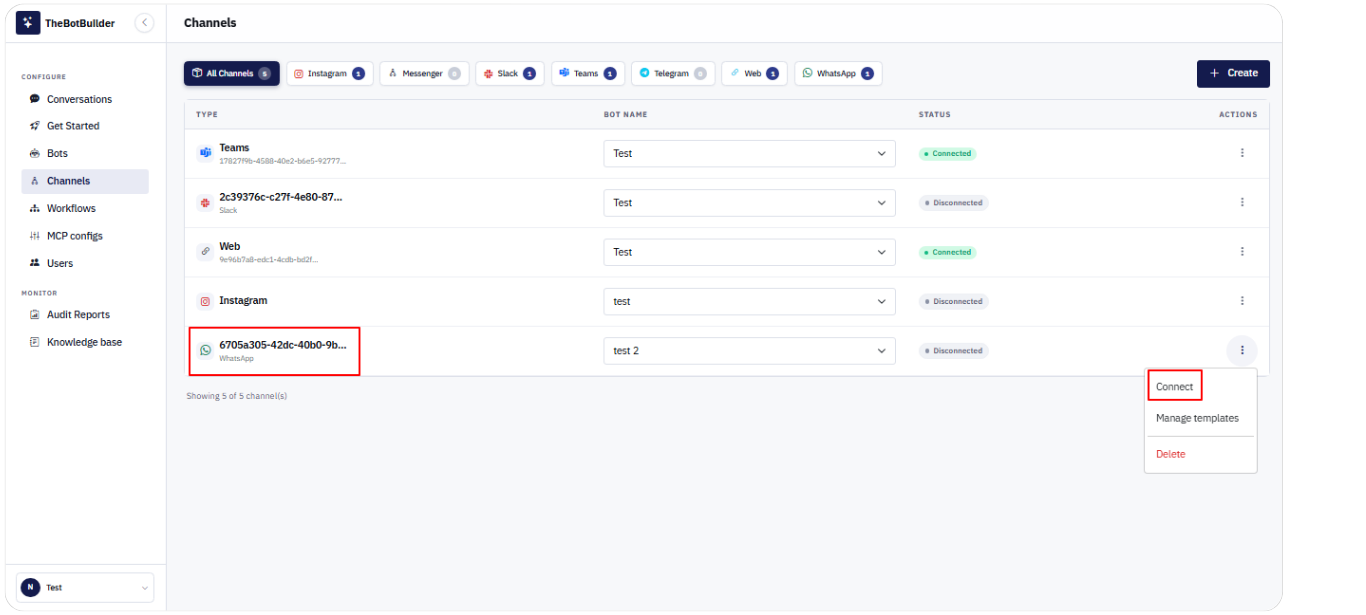
Connecting WhatsApp
- Go to Configure → Channels.
- Click Create, select Channel Type WhatsApp, choose a Bot, and click Create Channel.
- Confirm the Bot Name column has the correct bot selected.
- Open Actions → Connect (or Reconnect).
- Complete Meta Embedded Signup in the Facebook/Meta flow that opens.
- When signup finishes successfully, the Channels page shows Connected and may display Channel connected successfully.
Requirements:
- A bot must be selected before Connect.
- Use localhost or HTTPS for the app URL. Meta blocks 127.0.0.1.
- Allow popups if your browser blocks the signup window.
- WhatsApp Embedded Signup must be configured by your administrator (App ID / Config ID).