

Creating an MCP Client Tool
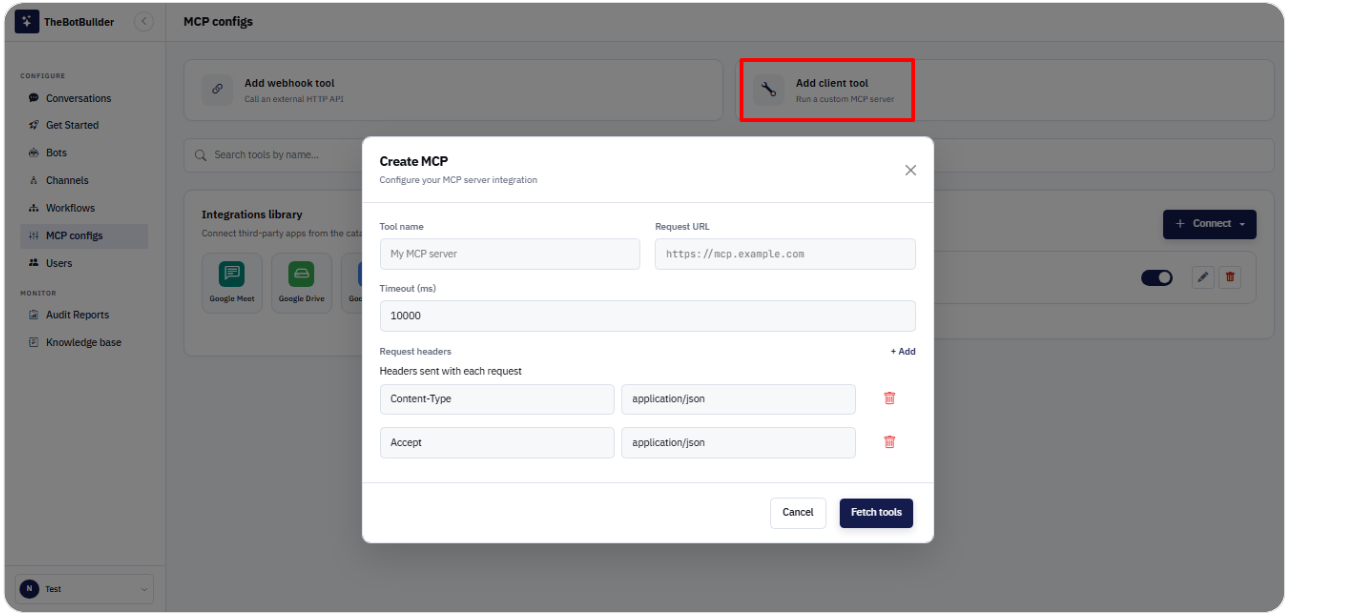
1. Open MCP configs.
2. Click Add client tool (or Connect → Custom MCP).
3. Enter: - Tool name - Request URL (your MCP server endpoint) - Timeout (ms) - Request headers if required
4. Click Fetch tools to discover tools from the server.
5. Save/connect the client tool once discovery succeeds.
Use a custom MCP client when you already operate an MCP server.