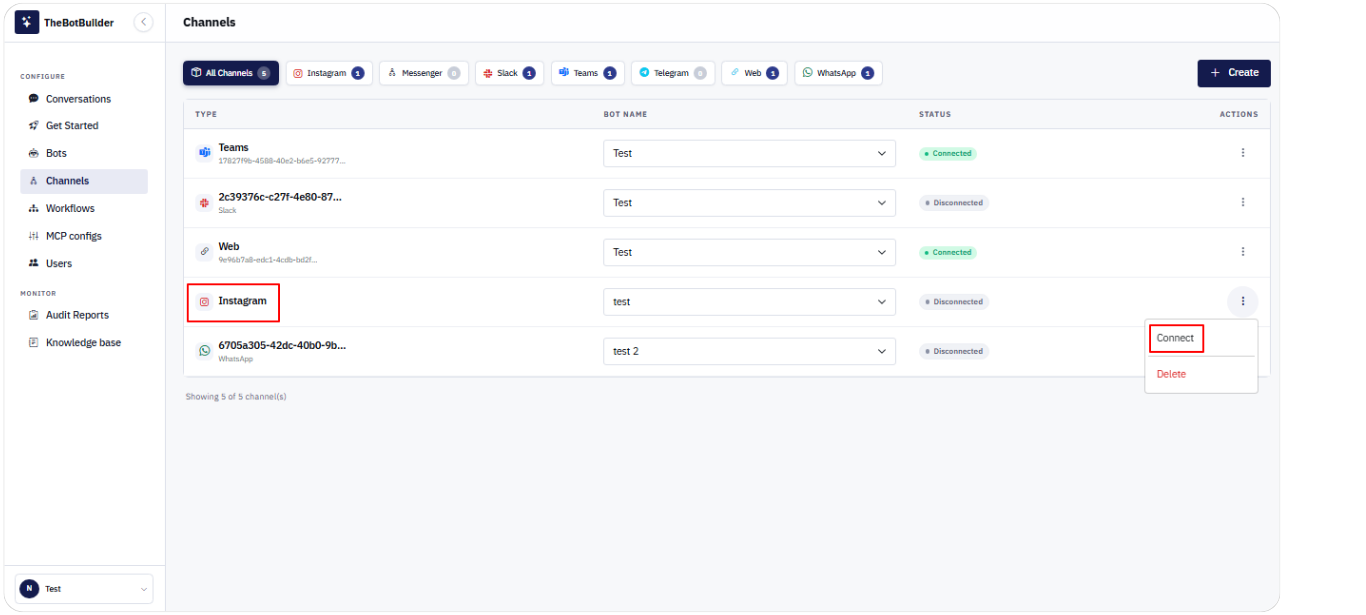
Connecting an Instagram Channel
- Go to Configure → Channels.
- Click Create, select Instagram, choose a Bot, and click Create Channel.
- Ensure Bot Name is set on the row.
- Open Actions → Connect (or Reconnect).
- Complete the Instagram / Meta authorization in the popup window.
- When finished, you should see Channel connected successfully and Status Connected.
If the popup is blocked, allow popups for TheBotBuilder and try again.