

Creating a Webhook Tool
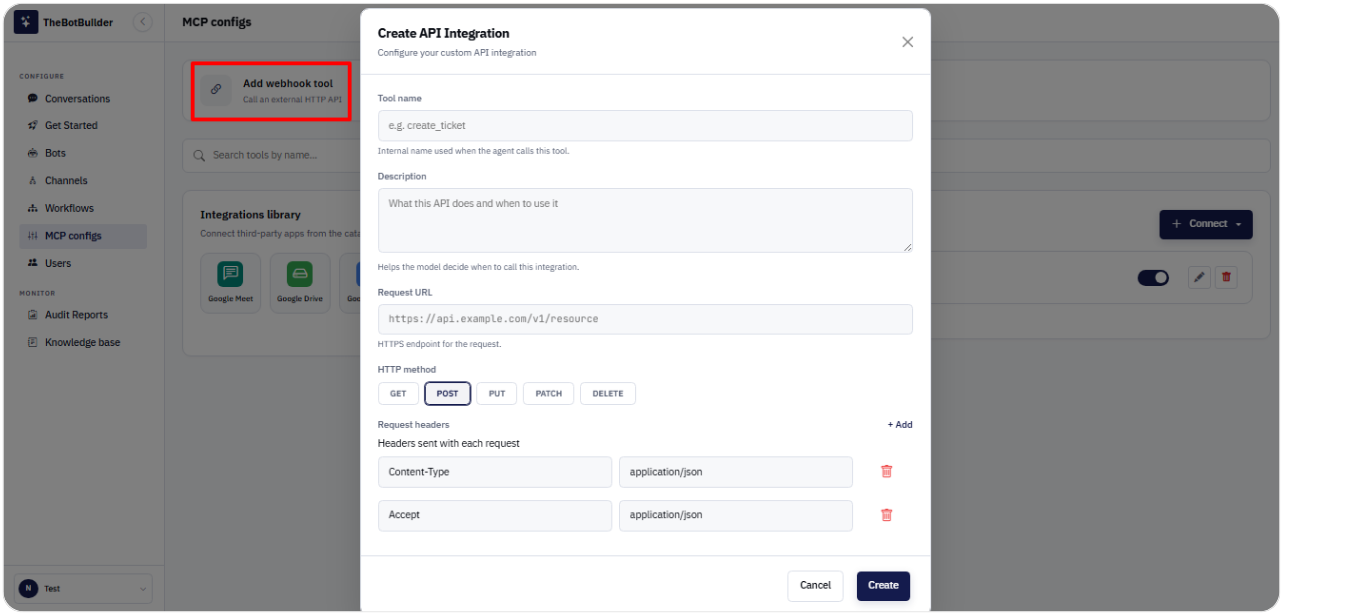
1. Open MCP configs.
2. Click Add webhook tool (or Connect → API Connect).
3. Fill in: - Tool name - Description - Request URL - HTTP method (GET, POST, PUT, PATCH, DELETE) - Request headers (as needed)
4. Click Create.
Use webhook tools when you need a straightforward HTTP call from the assistant.