

Creating a Channel
To add a new channel:
- Open Configure → Channels.
- Click Create.
- In the Create Channel dialog, choose a Channel Type.
- Select a Bot under Bot Selection.
- Click Create Channel.
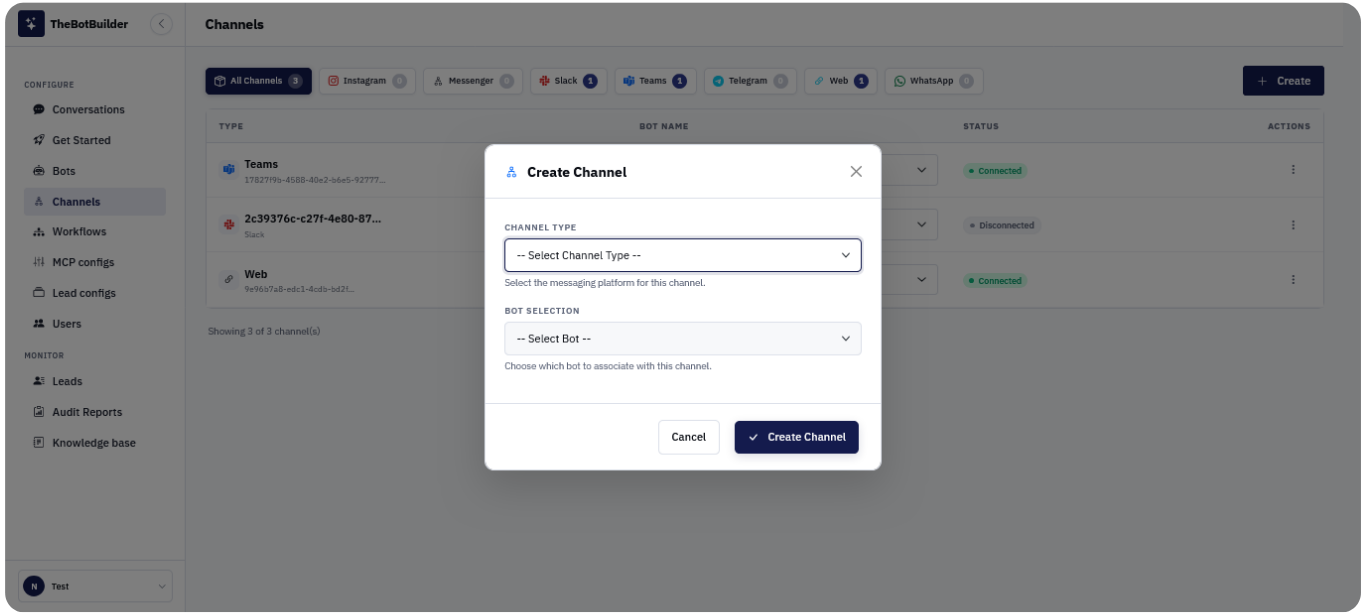
A new row appears in the table with Status Disconnected until you complete the platform Connect flow.
Important:
- Select the correct bot before connecting. Visitors on that channel will talk to the assigned bot.
- You can change the bot later using the Bot Name dropdown on the row.